
Edge Gestures
Total_AppsTools
4.3463.00 Reviews
- Version
- 1.16.3
- Installs
- 50.00K
- Age Rating
- Everyone
Screenshots
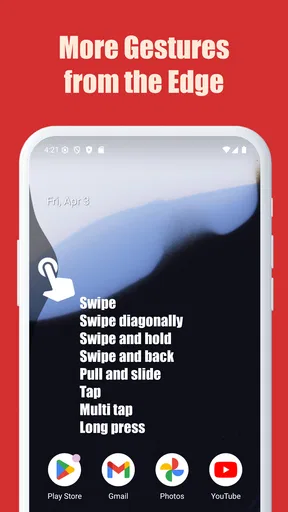
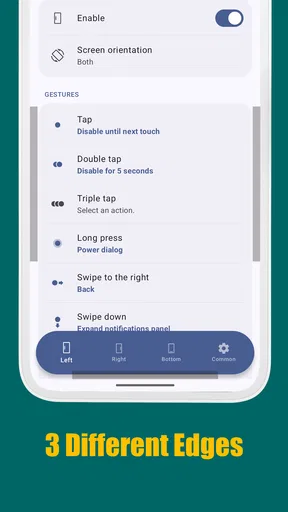
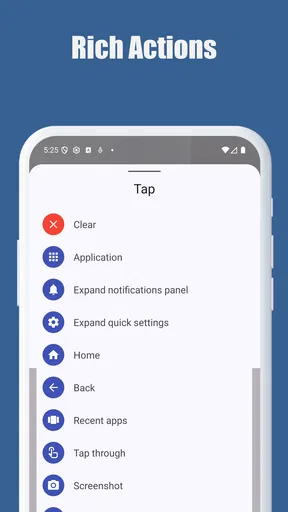
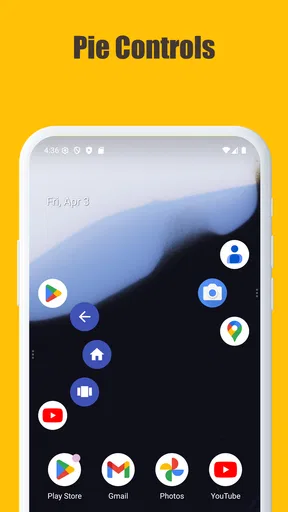
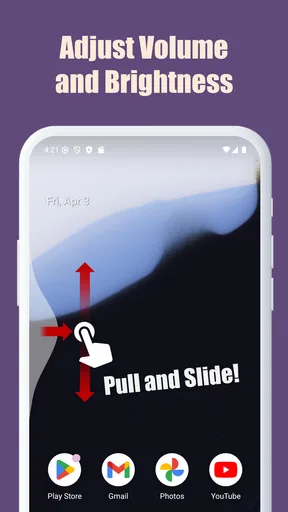
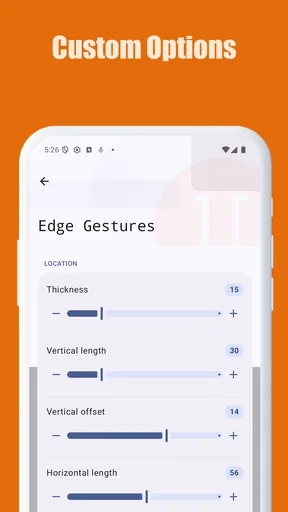
Our Review of Edge Gestures
 Analysis by Appyee
Have you ever found yourself fumbling around with the navigation buttons on your phone, wishing there was a smoother way to get from app to app? Well, that's where Edge Gestures comes into play. I downloaded this nifty little app a while back, and it's been a game-changer in how I interact with my phone. Let me walk you through my experience with it.
What is Edge Gestures?
So, what's the deal with Edge Gestures? Essentially, this app allows you to use swipe gestures from the edges of your screen to perform various actions. Think of it as giving your phone a new set of intuitive shortcuts. It's like having a magic wand for your smartphone, making navigation a breeze without reaching for those tiny buttons.
Getting Started
Diving into the setup was pretty straightforward. Once you download it, the app guides you through enabling the necessary permissions – something that always feels a bit fiddly, but it’s necessary to get the full experience.
After setting it up, you can customize gestures for different actions. For example, swiping from the right might take you to the home screen, while a swipe from the top could pull down the notification panel. The customization options are quite extensive, which is fantastic if you love tailoring your phone experience to suit your needs.
User Experience
Using the app has been a smooth ride. The gestures feel natural and quickly become second nature. Imagine flicking your thumb to switch apps or swiping up to access recent apps. It’s all about making your phone feel more responsive and less of a hassle to use.
One thing I particularly enjoy is the app’s responsiveness. The gestures register quickly, and there’s no noticeable lag. This is crucial because any delay would make the whole experience frustrating.
Customization Galore
If you love tinkering with settings, Edge Gestures will keep you entertained. You can adjust the sensitivity of the gestures, change the trigger areas, and even set up specific actions for different apps. It’s like having a toolbox of customization options that let you mold your phone’s behavior just the way you like it.
For those who love a clean look, you can hide the navigation bar entirely. This makes your screen look more expansive and less cluttered, which is always a plus in my book.
Everyday Use
In day-to-day use, I found myself relying on these gestures more than I initially expected. Whether it’s quickly accessing the camera or switching between apps during a busy day, the app streamlines everything.
It’s also worth mentioning that the app works seamlessly with most Android devices. I haven’t encountered any major compatibility issues, which is always a relief when dealing with third-party apps.
Final Thoughts
So, what’s the final verdict on Edge Gestures? If you’re someone who loves squeezing every bit of efficiency out of your smartphone, this app is a must-try. It transforms the way you interact with your device, making everything feel quicker and more intuitive.
While it might take a bit of time to set up and get used to the gestures, the payoff is well worth it. It’s like having a secret weapon up your sleeve, ready to make your smartphone experience that much smoother.
So, if you’re tired of the usual navigation buttons and want to try something fresh, give Edge Gestures a shot. You might just find it’s the missing piece you didn’t know you needed.
Verdict
Strengths of Edge Gestures
- Intuitive gesture controls enhance navigation.
- Customizable gestures for personalized use.
- Improves multitasking efficiency.
- Reduces screen clutter with fewer buttons.
- Compatible with most Android devices.
Limitations of Edge Gestures
- Learning curve for gesture customization.
- May conflict with other gesture apps.
- Consumes extra battery in background.
- Limited support for older Android versions.
- Occasional lag in gesture recognition.
Other Releases by Total_Apps
View All
Total Launcher Key
Personalization4.4
Similar Picks in This Category
View All
Google LLC4.0

Gboard - the Google Keyboard
Google LLC4.5

Google Play services
Google LLC4.3

Google Play Store
Google LLC4.9

Files by Google
Google LLC4.5

SHAREit: Transfer, Share Files
Smart Media4U Technology Pte.Ltd.4.3
Frequently Asked Questions
What is Edge Gestures and how does it work?
Edge Gestures is an intuitive app designed to enhance navigation on Android devices by utilizing edge gestures. By swiping or tapping the edges of your screen, you can perform actions such as going back, opening recent apps, or accessing shortcuts. This functionality aims to improve user experience by making navigation faster and more efficient.
Is Edge Gestures compatible with all Android devices?
Edge Gestures is compatible with most Android devices running version 4.1 and above. However, due to varying manufacturer customizations and screen sizes, some features might not work as seamlessly on all devices. It’s always a good idea to check compatibility with your specific device model before downloading.
Does Edge Gestures drain battery life significantly?
While Edge Gestures runs constantly in the background to detect gestures, it is optimized to minimize battery consumption. Users generally report minimal impact on battery life. However, actual usage and battery drain can vary based on individual device settings and usage patterns.
Can I customize gestures in Edge Gestures?
Yes, Edge Gestures offers extensive customization options. Users can assign different actions to various gestures, adjust the sensitivity and size of gesture areas, and even customize the appearance of the gesture indicators. This flexibility allows users to tailor the app to their specific needs and preferences.
Is Edge Gestures safe to use with my personal data?
Edge Gestures does not require access to personal data such as contacts or messages. It primarily needs permission for drawing over other apps to function correctly. The app is designed with user privacy in mind, and there is no indication of it collecting or transmitting personal data.
